New Business Online and Mobile Banking Experience

As of Monday, March 23, 2026, your current Business Online Banking system has changed to Mechanics Bank Online Banking Plus app.

Your online banking User ID has changed. To access your online account(s), you will use a combination of your Company ID + your current User ID.
For example, if your Company ID is 123456 and your User ID is j@ckSm1th, your new User ID will be 123456j@ckSm1th. If you don’t know your Company ID please call Customer Care at 800.719.8080.
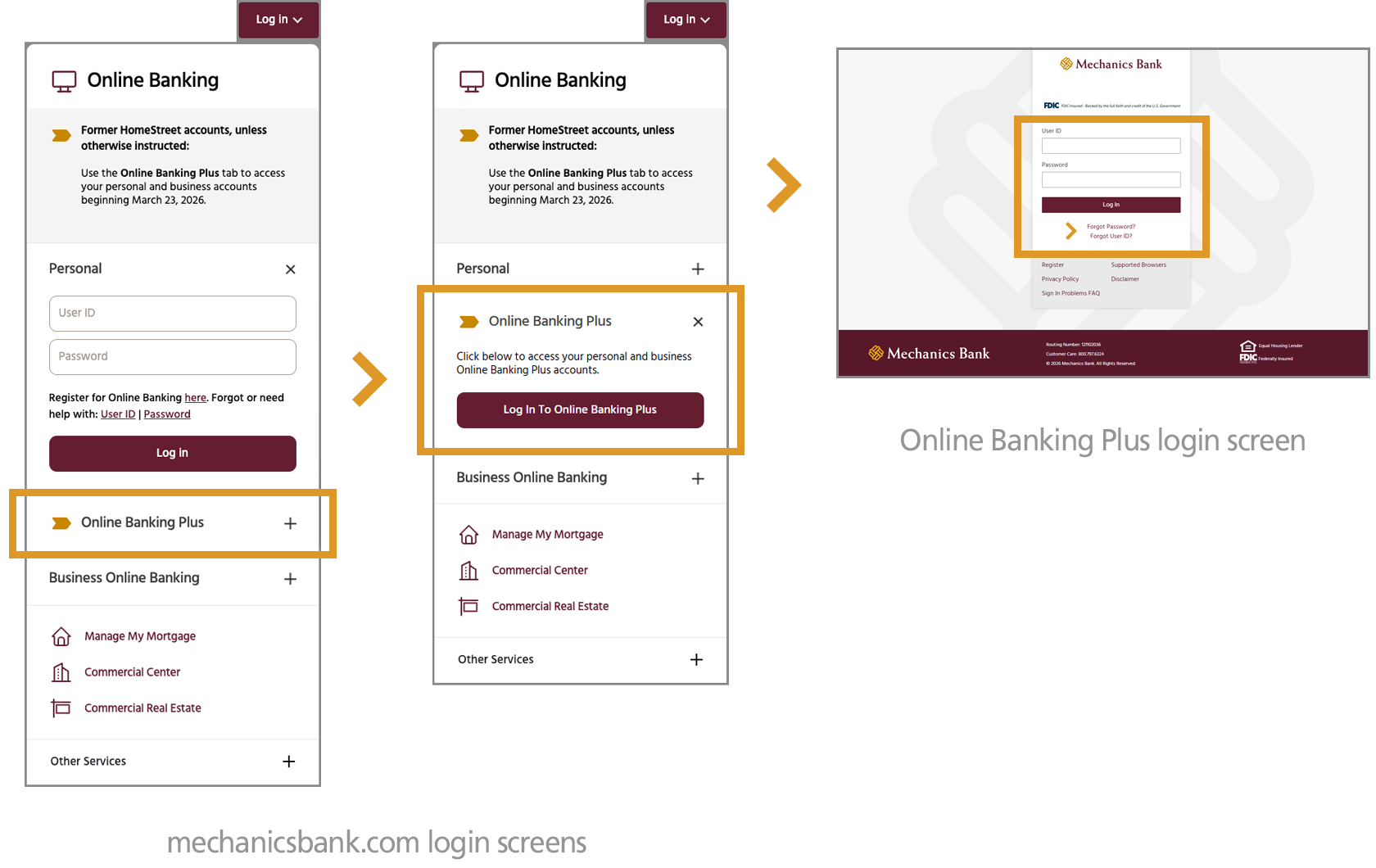
  1. Go to mechanicsbank.com
  2. In the log in box in the upper right, ensure that you click on Online Banking Plus (note that there are two personal online banking platforms to choose from. Please be sure to select Online Banking Plus).
  3. Then click on the Log In to Online Banking Plus button
  4. Enter your User ID (Company ID + current homestreet.com User ID) and current homestreet.com password
    • If you don't know your User ID or password, select the "Forgot Password?” or “Forgot User ID?” prompt(s) on the login page.

Your current Business Mobile Banking app will be changing to the
Mechanics Bank Online Banking Plus app on March 23, 2026.

Please follow the login instructions below.

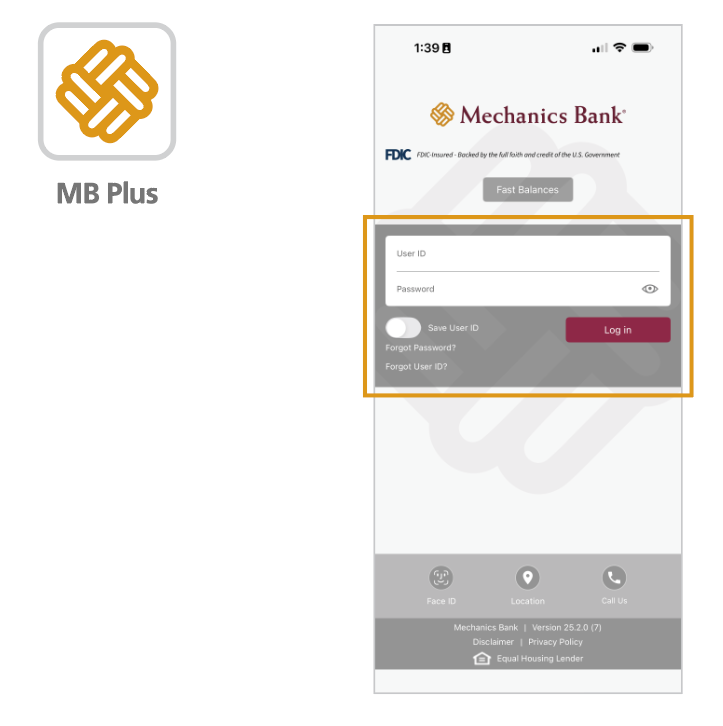
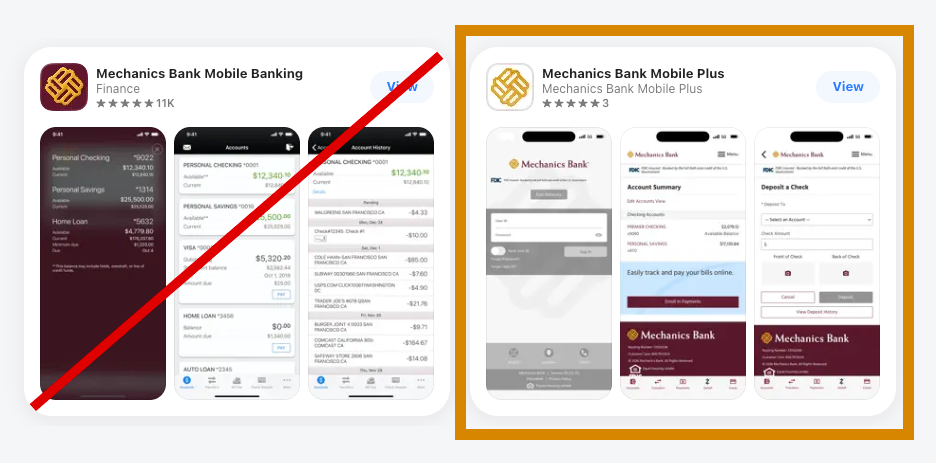
1. Download the Mechanics Bank Mobile Plus app from the appropriate Apple or Google Play store.

  • The other Mechanics Bank mobile apps will NOT work with your account. Click on the appropriate app store link below to get to Mechanics Bank Mobile Plus.
Apple Store   Google Play

2. Your User ID has changed. To access your account(s), you will use a combination of your Company ID + your current User ID. For example, if your Company ID is 123456 and your User ID is j@ckSm1th, your new User ID will be 123456j@ckSm1th. If you don’t know your Company ID, please call Customer Care at 800.719.8080.

3. Enter your  User ID (Company ID + current homestreet.com User ID) and current homestreet.com password

  • If you don't know your User ID or password, select the "Forgot Password?” or “Forgot User ID?” prompt(s) on the login page.